
If you expected video link for Zoom, Google Meet, or Microsoft Teams but received Jitsi link instead, it is likely due to a disconnected integration or a missing setup for a team member.
Since Jitsi does not require integration, NeetoCal uses it as a fallback to ensure your meeting always has a valid video link.
Common causes
Your video conferencing integration was manually disconnected or expired/disconnected automatically die to some reasons.
-
In Round Robin setup, every member must integrate their own video account. If the assigned member hasn't connected their account, the system defaults to Jitsi.
-
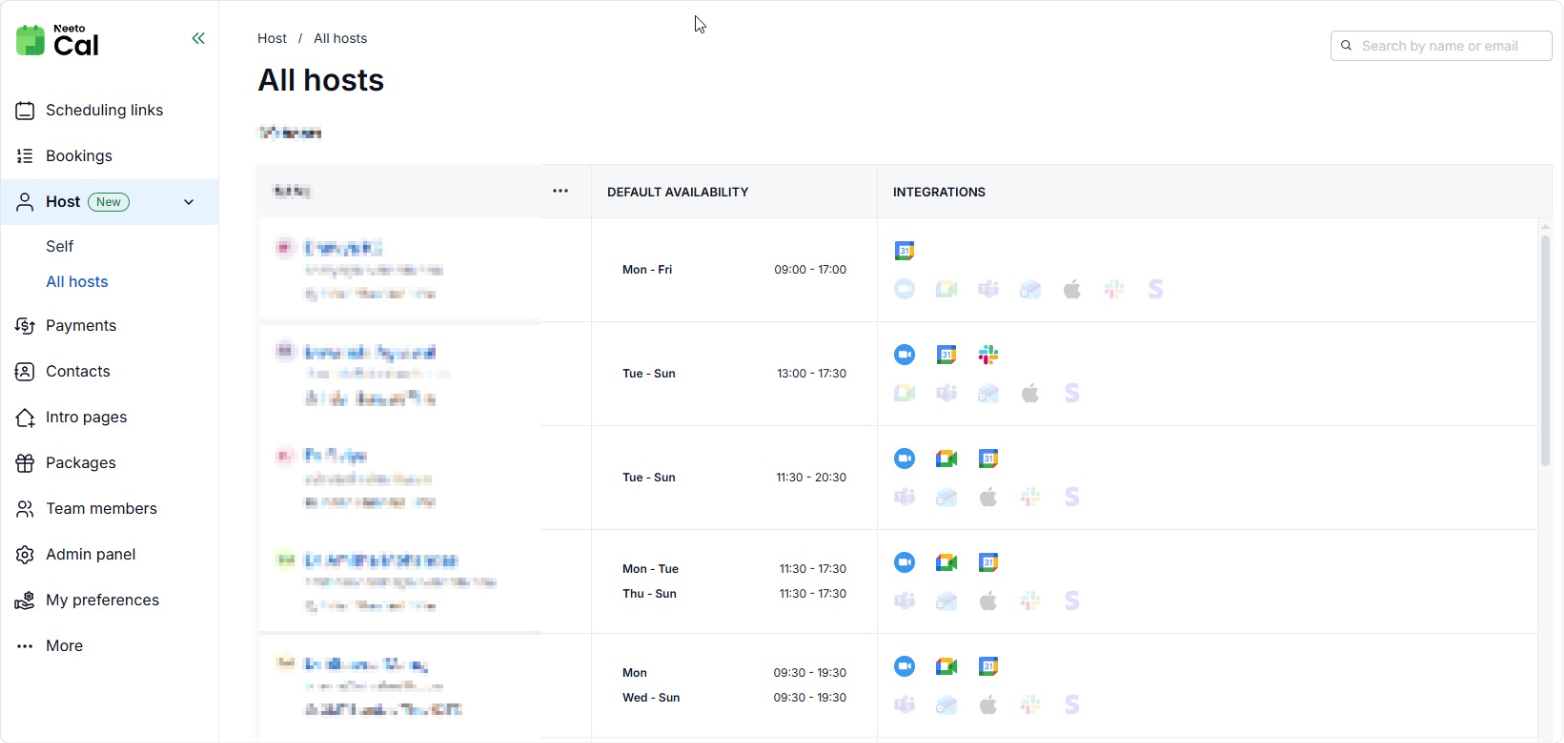
To verify this, check Host > All hosts to see who is missing an integration.
-
Fixing for new bookings
-
Check your Integration
Go to the Host (Self) tab.
Under Video Integrations, verify if Zoom, Google Meet, or Teams is active.
If you use Daily.co or Whereby, check this under Admin Panel > Video Integrations.
If the status shows as disconnected, click to re-integrate your preferred tool.
-
Update scheduling link
Open your specific Scheduling Link settings.
Go to the Where tab.
Ensure your preferred video tool is selected as the primary option.
Fixing already scheduled bookings
Once you have re-connected your integration, you will need to manually update existing bookings, follow this help article to change video tool link.