

You can control whether your name or business appears in Google search results via your NeetoCal scheduling page.
If you want to attract new clients via search, set this to "Allow." However, if your booking links are private and meant only for clients you contact directly, select "Prevent" to keep your page hidden from search engines.
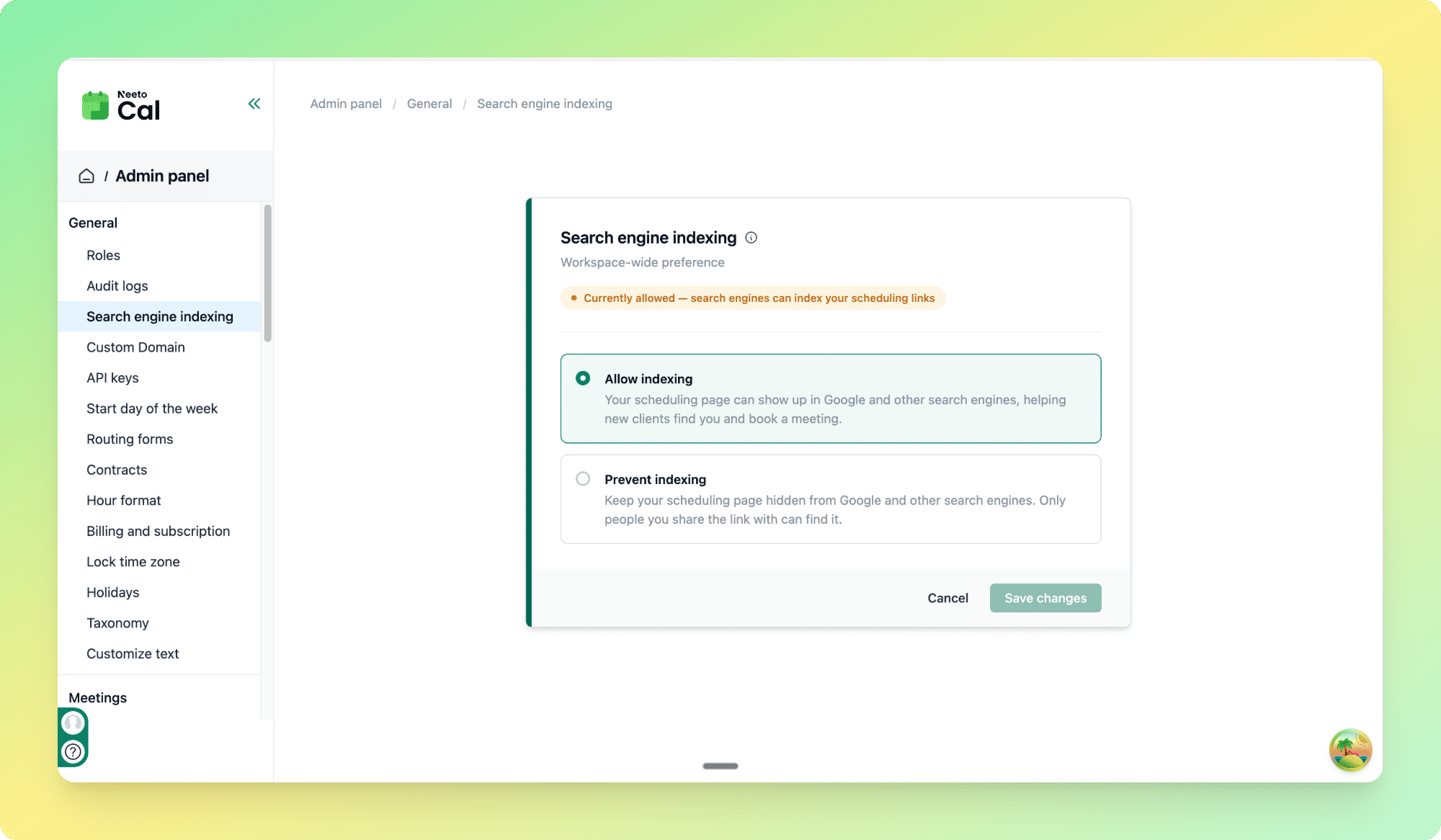
Preventing search engine indexing
By default, allow indexing is enabled. Switch to the preventing option if your scheduling links are private, for example, internal team bookings, paid clients only, or pages you don't want strangers stumbling onto.
1. Go to the Admin panel.
2.Click Search Engine Indexing.
3. Select Prevent search engine from indexing scheduling links.
4. Click Save changes.
Search engines may take a few days to a few weeks to update their results after you change this setting. If your page is already indexed, it won't disappear from Google instantly.