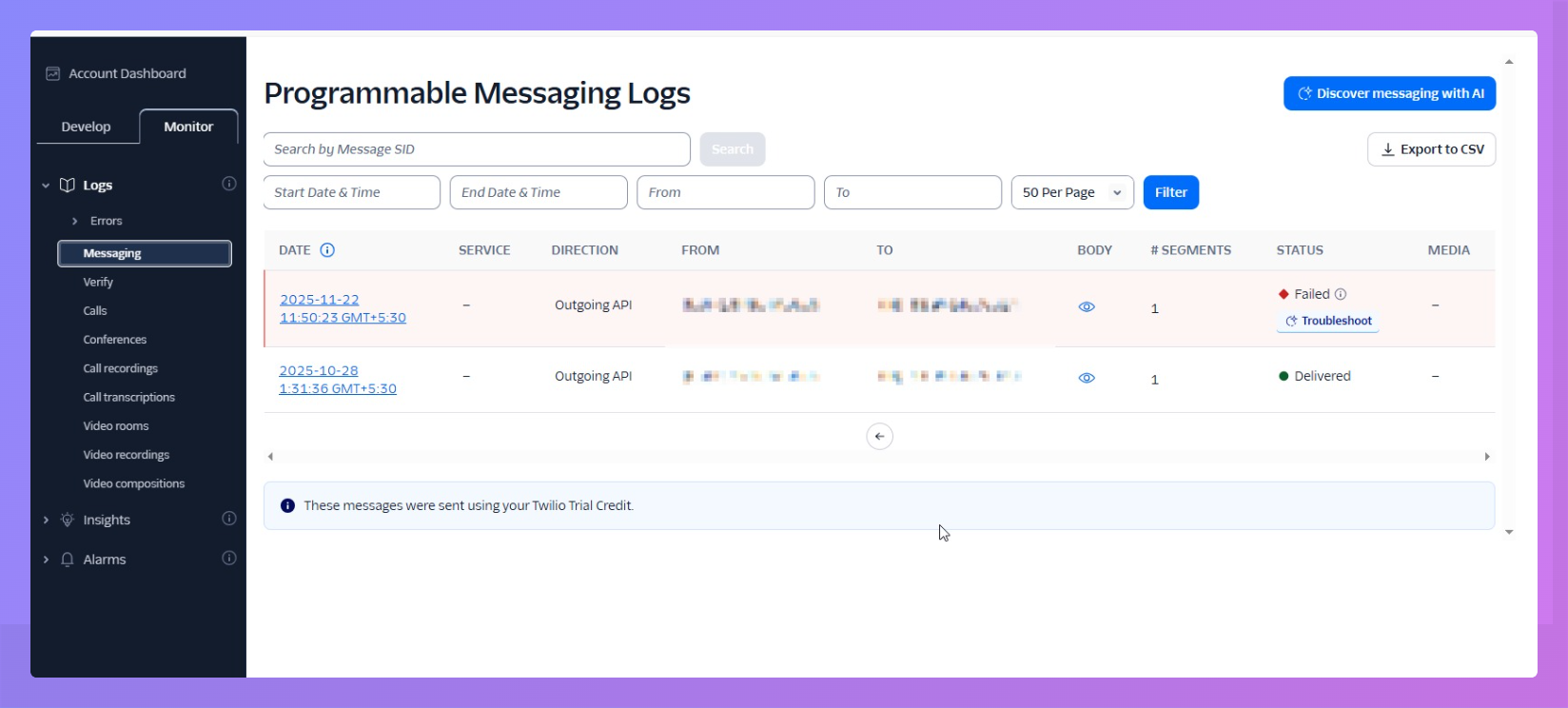

If an expected SMS never arrived, first check that the SMS type is enabled on the SMS notifications page in the admin panel. If the scheduling link uses Override SMS notifications, check its settings too. An SMS that is unchecked is never sent to Twilio, so it will not appear in any Twilio log.
If the SMS type is enabled, check the delivery status in Twilio.
Visit https://console.twilio.com.
Click on the Monitor tab.
Click on Logs.
Click on Messaging.
Click on Error logs.
-
Look for the Status column.
Delivered = message sent successfully
Undelivered or Failed = click the message to see the error code