

Send SMS updates controls whether NeetoCal sends SMS notifications to the phone number a client enters in a phone number question.
This setting is enabled by default for all phone number questions. You only need to change it if the question collects a number that shouldn't receive SMS updates, such as an office landline or an emergency contact.
Messages this covers
When Send SMS updates is on for a phone number question, NeetoCal sends SMS to that number for:
Meeting confirmation
Meeting rescheduled
Meeting cancelled
Meeting rejected
Meeting requested, when the booking needs your approval
The Send SMS to client action in an automation rule
Two other things have to be in place before any of these go out. Your workspace needs Telnyx or Twilio connected, and the message type has to be checked on the SMS notifications page in the admin panel. If the scheduling link uses Override SMS notifications, the link's own settings apply instead.
Turning Send SMS updates on or off
Open the scheduling link you want to change.
Click on the Settings tab.
Click on the Questions card.
Click the three dot menu next to the phone number question, then click Edit.
Turn Send SMS updates on or off.
-
Click on Save changes.
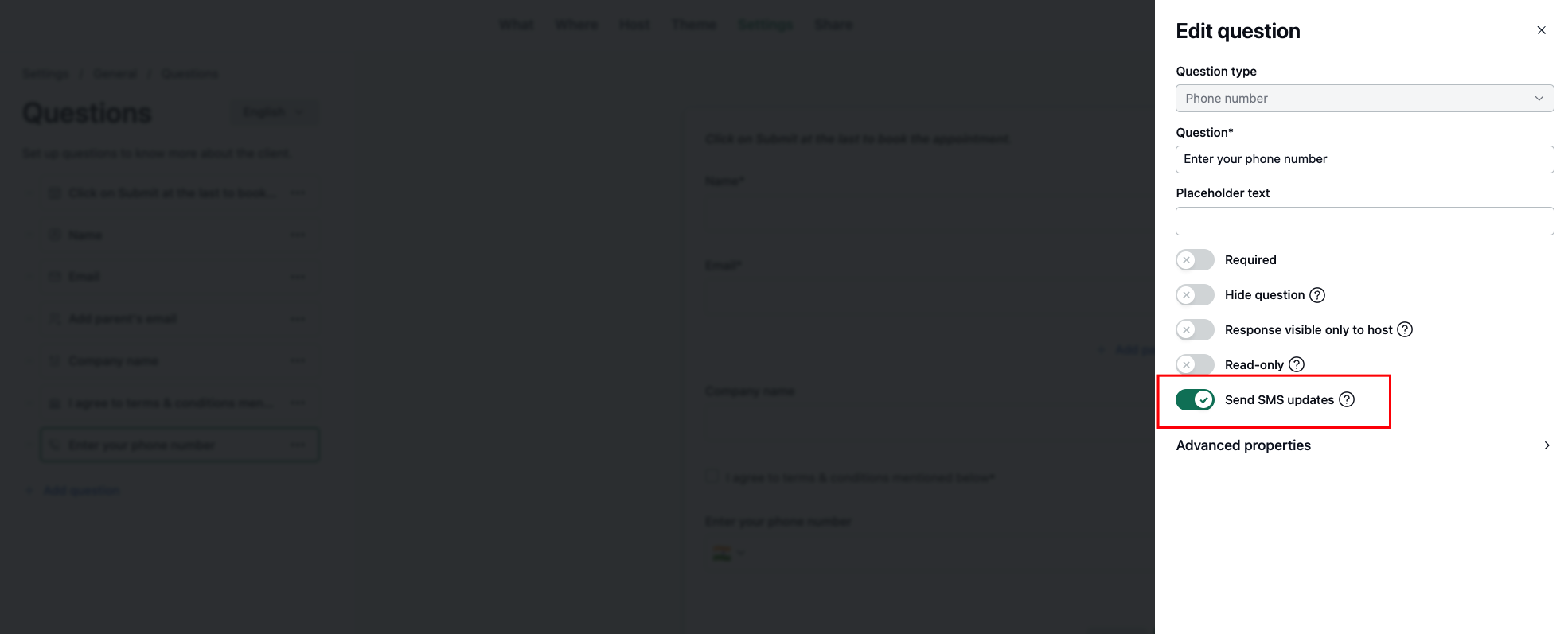
The setting only appears on phone number questions.
When a link has more than one phone number question
Every phone number question with Send SMS updates on gets the messages. A client who fills in two such questions receives each message twice, once on each number. If they enter the same number in both, NeetoCal sends it once.
To keep messages going to a single number, turn Send SMS updates off on the phone number questions you don't want texted.